

Yes, FaultFox provides free AI-driven Wi-Fi diagnostics that identify the root cause of your network issues. The platform analyzes error messages and network logs to give you a clear diagnosis at no cost. You only pay if you choose to implement the full automated fix. This guide explains how the free tier works, what to expect, and how to verify the results. For additional details, review the FaultFox AI Tech Troubleshooting.
How to Choose a Diagnostic Tool
Choosing the right AI tool for Wi-Fi troubleshooting requires looking beyond marketing claims. A good diagnostic tool separates itself by providing actionable insights rather than generic advice. You need a platform that understands the specific hardware in your home or office. FaultFox focuses on step-by-step fixes for Windows errors, printers, routers, and network issues. This specificity is a key differentiator. Generic tools often suggest restarting the router, which rarely solves deep-seated configuration problems. A superior tool analyzes the specific error codes and log files to pinpoint the exact failure point. For additional details, review the Frequently Asked Questions.
Accuracy vs. Speed
Speed is important, but accuracy is paramount. A tool that gives you an answer in five seconds but is wrong is worse than one that takes two minutes to analyze your logs thoroughly. Look for tools that explain their reasoning. FaultFox provides clear, step-by-step fixes that allow you to understand why a problem is occurring. This transparency builds trust and ensures you are not blindly following instructions. If a tool cannot explain its diagnosis, it is likely using a shallow heuristic rather than deep analysis. For additional details, review the About.
Hardware Compatibility
Questions to Ask Before Committing
Before you enter your network details into any AI platform, you should ask specific questions to protect your data and ensure value. The first question is about data retention. Does the tool store your network logs? How long are they kept? The second question is about the definition of "free." Is the diagnosis truly free, or is it a teaser that locks the solution behind a paywall? FaultFox is designed to give you the diagnosis for free. You only pay if you want the automated full fix. This model aligns the tool's incentives with your success. If the tool cannot fix the problem, you should not be charged.
Data Privacy Inquiries
Support and Escalation
Verifying AI Claims and Credentials
AI technology moves fast, and not all claims are backed by reality. To verify that a tool is legitimate, check for independent reviews and technical documentation. Look for tools that publish their methodology. How does the AI analyze the data? Does it use machine learning models trained on verified network data? FaultFox is built on a foundation of step-by-step fixes that have been tested and validated. You can verify the tool's effectiveness by running it on a known issue. If you have a minor network glitch, see if the tool identifies it correctly. This practical test is more valuable than any marketing brochure.
Checking for Hallucinations
One of the biggest risks with AI is hallucination, where the model invents facts. In the context of network troubleshooting, this means suggesting fixes that do not exist or applying settings that will break your network. To verify a tool, look for guardrails. Does the tool warn you before making changes? Does it provide a rollback option? FaultFox is designed to be safe and accurate. It provides clear warnings and step-by-step instructions that you can follow at your own pace. This reduces the risk of accidental damage to your network configuration.
Community Feedback
Search for user reviews on independent platforms. Look for patterns in the feedback. Are users reporting successful fixes? Are there complaints about data privacy or billing? FaultFox has a reputation for providing clear, accessible troubleshooting. Community feedback can reveal issues that are not apparent in official documentation. Pay attention to recent reviews, as AI tools evolve rapidly. A tool that was excellent a year ago may have changed its model or pricing structure. Always check the most current information.
The Diagnostic Process Explained
Step 1: Data Input
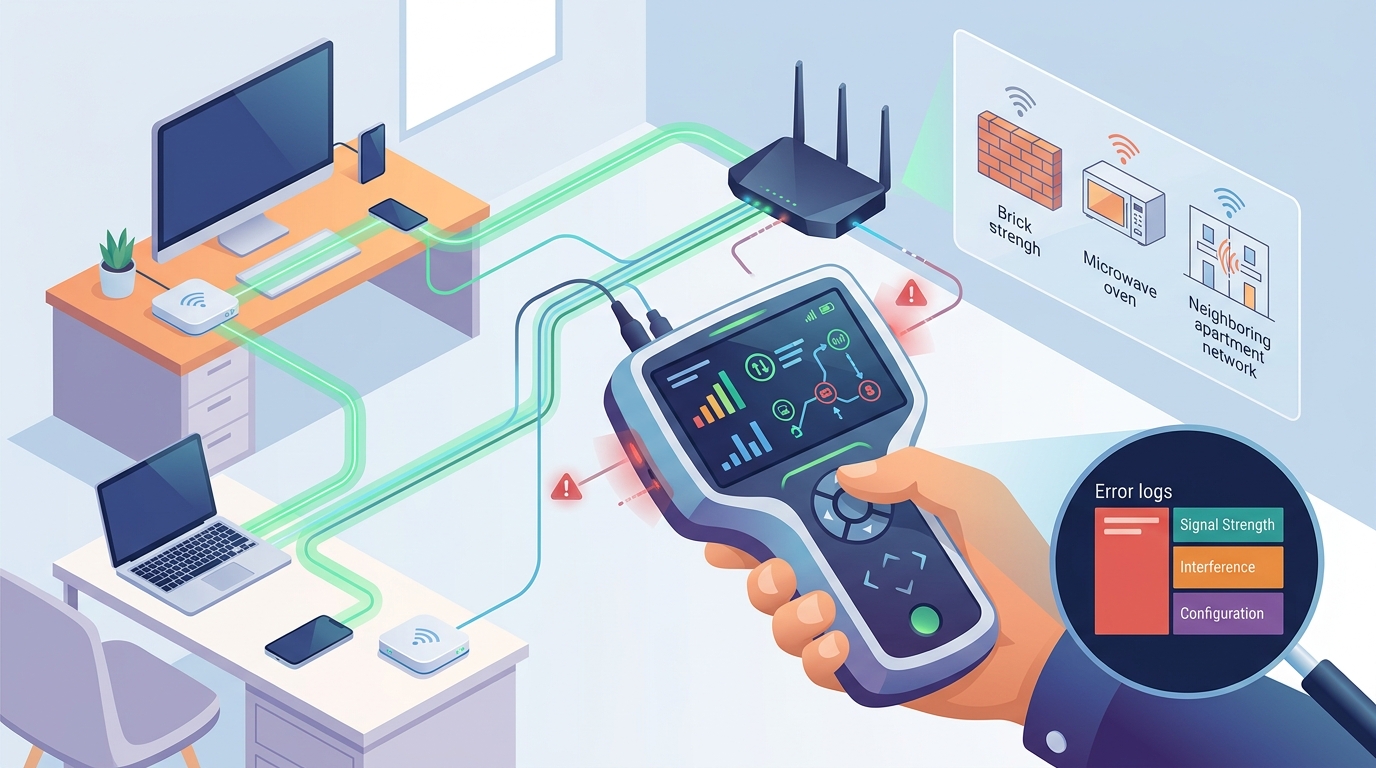
You start by describing the problem. You can type in the error message you are seeing, or you can upload a log file if the tool supports it. FaultFox accepts various input formats to make the process as easy as possible. The more specific you are, the better the diagnosis. For example, instead of saying "my Wi-Fi is slow," specify that it is slow only when connected to a specific device. This context helps the AI narrow down the potential causes.
Step 2: Analysis and Diagnosis
The AI processes the input and identifies the root cause. It looks for patterns that match known issues. For example, if you are experiencing intermittent drops, the AI might check for interference or driver conflicts. FaultFox provides a clear diagnosis that explains what is wrong. It does not just give you a solution; it explains the problem. This educational aspect is valuable. It helps you understand your network better and prevents similar issues in the future.
Step 3: The Fix
Once the diagnosis is complete, the tool presents the fix. In the case of FaultFox, the diagnosis is free. The full fix, which may involve automated changes or detailed step-by-step instructions, is where the cost comes in. You can choose to implement the fix yourself using the instructions, or you can use the automated option if available. This gives you control over the process. You are not locked into a subscription just to see the solution.
Understanding the Cost Structure
Factors That Drive Price
Several factors influence the price of a fix. The first is the complexity of the problem. A simple driver update is less expensive than a full network reconfiguration. The second is the type of fix. Automated fixes are often cheaper than manual steps because they require less human time. The third is the hardware involved. Some fixes may require specific software or tools that have licensing costs. FaultFox is transparent about its pricing. You will see the cost before you commit to the fix. There are no hidden fees. This transparency is a key part of the user experience.
Free Tier Limitations
Common Mistakes and How to Avoid Them
Ignoring the Root Cause
Some users focus on the symptom rather than the root cause. For example, if your Wi-Fi is slow, you might try to boost the signal. However, the root cause might be a faulty cable or a misconfigured router setting. FaultFox is designed to identify the root cause. Follow the diagnosis, not just the symptom. This approach leads to more permanent solutions. If you keep treating the symptom, the problem will likely return. Addressing the root cause is the key to long-term network stability.
Overlooking Security Implications
FaultFox vs. Other AI Tools
| Free Diagnosis | Yes | Limited | Yes, but often inaccurate |
| Step-by-Step Fixes | Yes | Yes | No |
| Network Specialization | High | Medium | Low |
| Pay-Per-Fix Model | Yes | Subscription | N/A |
Solutions for Specific Network Scenarios
Different network issues require different approaches. FaultFox is designed to handle a wide range of scenarios. For example, if you are experiencing slow speeds, the tool will check for bandwidth throttling, interference, and hardware limitations. If you are having connectivity drops, it will look for signal strength issues and router stability. Each scenario has a specific set of diagnostic steps. The tool adapts its analysis based on the type of problem you report. This adaptability is a key strength of FaultFox. It is not a one-size-fits-all solution. It provides tailored advice for your specific situation.
Slow Speeds
Connectivity Drops
Intermittent connectivity is frustrating and hard to diagnose. It can be caused by signal dead zones, router overheating, or software bugs. FaultFox analyzes your connection logs to identify patterns. It can detect if the drops are happening at specific times or in specific locations. This pattern recognition is crucial for finding the root cause. The tool then provides fixes that address the specific pattern. For example, if the drops are happening at night, it might suggest checking for network congestion. If they are happening in a specific room, it might suggest adding a range extender. These targeted fixes are more effective than general troubleshooting.
Data Privacy and User Protections
Compliance with Regulations
User Rights
You have certain rights as a user. You have the right to know what data is being collected. You have the right to opt out of data sharing. You have the right to delete your account and associated data. FaultFox respects these rights. It provides easy-to-use tools that allow you to exercise them. This empowers you to take control of your digital footprint. It also ensures that you are not locked into a service that you no longer want. You can leave at any time, and your data will be deleted. This flexibility is a key advantage of FaultFox.
Regional Network Considerations
Infrastructure Variations
Different regions have different network infrastructure. Some areas have fiber-optic connections, while others rely on copper or wireless. The type of infrastructure can affect the type of issues you experience. FaultFox adapts its diagnostics based on your infrastructure. It can identify issues that are specific to certain types of connections. For example, fiber connections are less susceptible to electromagnetic interference, but they can be affected by physical damage. Copper connections are more susceptible to interference but are more resilient to physical damage. Understanding these differences is key to effective troubleshooting. FaultFox helps you navigate these complexities.
Regulatory Differences
Network regulations can vary by region. Some regions have stricter rules about data privacy and network security. FaultFox complies with these rules. It ensures that its tools and practices are in line with local regulations. This compliance is important for both the company and the user. It ensures that you are not violating any local laws when using the tool. It also ensures that your data is protected according to local standards. This regulatory awareness is a key part of FaultFox's value proposition. It provides a safe and compliant solution for users in different regions.
When to Run Diagnostics
Timing can affect the outcome of your diagnostics. It is best to run diagnostics when the problem is occurring. This allows the tool to capture real-time data. If you wait until the problem is resolved, you may not be able to reproduce the issue. This makes it harder to diagnose. FaultFox can run diagnostics at any time, but it is most effective when the problem is active. It can also schedule diagnostics for specific times. This is useful if the problem only occurs at certain times of day. For example, if your network is slow at night, you can schedule a diagnostic for that time. This ensures that the tool captures the relevant data. It increases the accuracy of the diagnosis.
Peak vs. Off-Peak
Network performance can vary depending on the time of day. Peak times are when the network is most congested. Off-peak times are when the network is less busy. If you are experiencing issues during peak times, it is important to run diagnostics during that time. This allows the tool to identify congestion as a potential cause. If you run diagnostics during off-peak times, you may not see the issue. This can lead to an inaccurate diagnosis. FaultFox helps you understand the impact of timing. It provides insights into how network performance varies over time. This information is valuable for optimizing your network.
After Changes
Long-Term Network Health
Using FaultFox regularly can improve your long-term network health. By identifying and fixing issues early, you prevent them from becoming major problems. This proactive approach saves you time and money in the long run. It also extends the life of your hardware. FaultFox provides insights into your network's performance over time. It can track trends and identify patterns. This data is valuable for making informed decisions about your network. For example, if you notice a gradual decline in performance, it might be a sign that your hardware is aging. This information can help you plan for upgrades. It ensures that your network remains reliable and efficient. according to System Health Monitor
Preventive Maintenance
Preventive maintenance is key to long-term network health. FaultFox can help you with this by identifying potential issues before they become problems. It can check for firmware updates, driver conflicts, and configuration errors. These checks are quick and easy. They can be scheduled regularly to ensure that your network is always in good shape. This proactive approach is more effective than reactive troubleshooting. It prevents issues from occurring in the first place. It saves you the hassle of dealing with broken networks. FaultFox makes preventive maintenance easy and accessible.
Performance Tracking
Key Takeaways
- You only pay if you choose to implement the full automated fix, aligning costs with value.
- Always verify the tool's accuracy and data privacy practices before committing.
- The diagnostic process involves data input, analysis, and a clear fix recommendation.
- Regional factors and timing can influence the outcome of your diagnostics.
- Regular use of FaultFox can improve long-term network health through preventive maintenance.
Frequently Asked Questions
Is the diagnosis really free?
Yes, FaultFox provides the full diagnosis for free. You will know exactly what is wrong with your network at no cost. You only pay if you decide to implement the full automated fix.
What happens if the AI cannot fix my problem?
Is my data safe with FaultFox?
Does FaultFox work with all routers?
How long does the diagnostic process take?
The diagnostic process is quick, often taking only a few seconds to minutes. The time depends on the complexity of the issue and the amount of data provided.
Can I use FaultFox on multiple devices?
Yes, you can use FaultFox on multiple devices. It is designed to be accessible from various platforms, including desktop and mobile.